
RFID Asset Management Software and Tracking Solution
Track, issue, audit and manage physical assets using RFID, barcode and QR code technology.
BSD Infotech’s Asset Management Application helps organizations maintain a complete digital record of their assets, track asset movement and location, manage issue and return, perform asset audits, monitor maintenance and manage the asset lifecycle. The platform can work with UHF RFID, HF RFID, barcode and QR code technologies according to the asset and deployment requirement.
Talk to BSD Infotech
Not sure whether RFID, barcode or QR is right for your assets? Tell us what you need to track and we can recommend the appropriate technology and tag.
One Platform. Complete Asset Visibility.
The software is the core asset-management platform. RFID, barcode and QR code are the identification technologies connected to it.
Asset Register
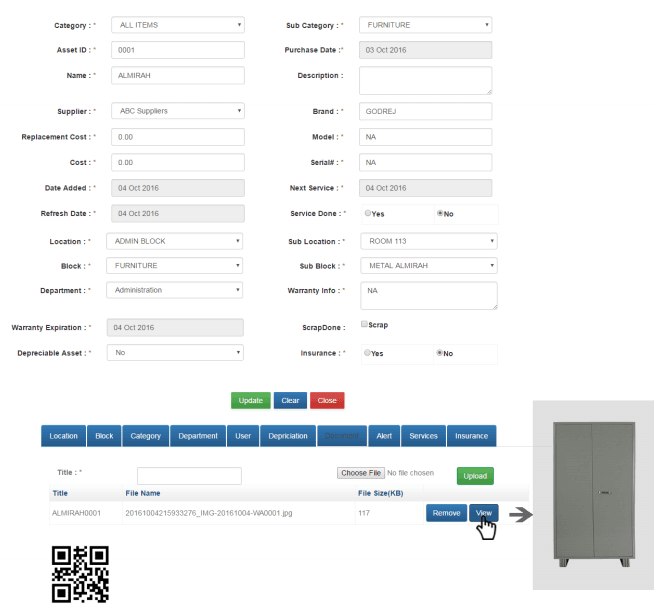
Maintain a centralized record of every asset — category, supplier, brand, model, serial number, cost, purchase date, warranty and an image of the asset.
Asset Movement
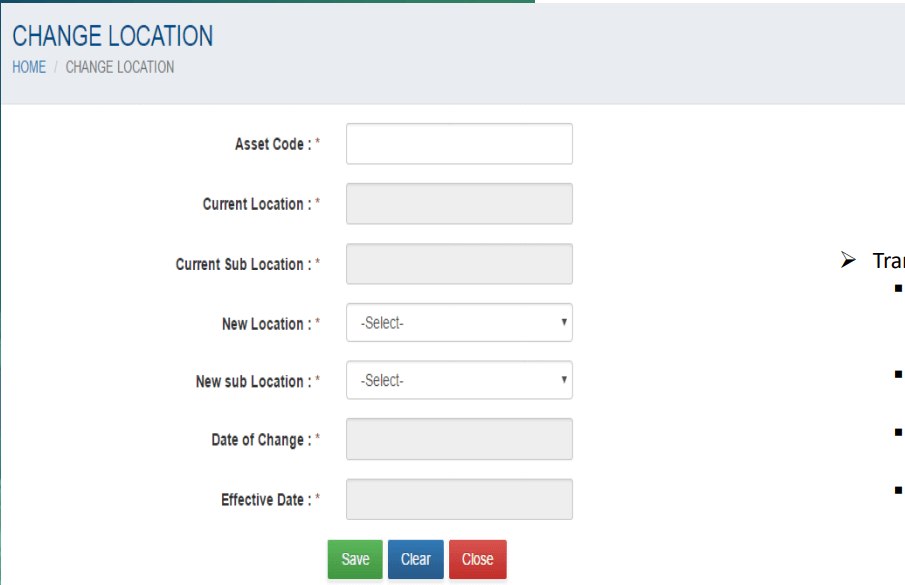
Record transfers between locations and sub-locations, and changes of custodian, with the date of change and effective date.
Issue and Return
Assign assets to a custodian, department or location, and record the change of custody when assets are returned or reassigned.
RFID Asset Audit
Audit assets by scanning, then see which assets have been audited and which have not, with an exportable audit report.
Asset Lifecycle
Register, tag, track, transfer, service and audit assets, then dispose of them, following BSD’s asset management process flow.
Visibility and Reports
Find assets by location, block, department, category, supplier or custodian, and export reports.
Complete Asset Management Application
One application manages the asset from registration to disposal. The screens below are from BSD Infotech’s own Asset Management Application.
- Enter asset data along with an image of the asset
- Keep records of transfers
- Calculate depreciation for depreciable assets
- Mark an asset as scrapped or disposed
- Maintain insurance and service records
- Attach documents and view the asset image
- Generate a QR code for the asset record
The Asset Master also carries category and sub-category, supplier, brand, model, serial number, cost, replacement cost, purchase date, next service, warranty information and expiry, location, sub-location, block, sub-block and department.
Asset records
- Asset master with image and documents
- Category and sub-category
- Supplier, brand, model and serial number
- Cost, replacement cost and purchase date
- Warranty information and expiry
- Insurance details
- Depreciable-asset flag and depreciation
Identification
- Asset ID / asset code
- Barcode scanning and barcode label printing
- QR code for the asset record
- RFID tag registration against the asset
- Tagged / not-tagged status and report
- Search by asset ID, name, brand, model, supplier or category
Ownership and location
- Custodian (asset owner)
- Department and cost centre
- Location and sub-location
- Block and sub-block
- Change of custodian with dates
- Change of location with dates
Service and lifecycle
- Next service date and service done
- Preventive maintenance and breakfix (repair) service
- Service due, warranty expiry and insurance due reports
- Scrap and disposal, with the option to make a scrapped asset active again
Audit and control
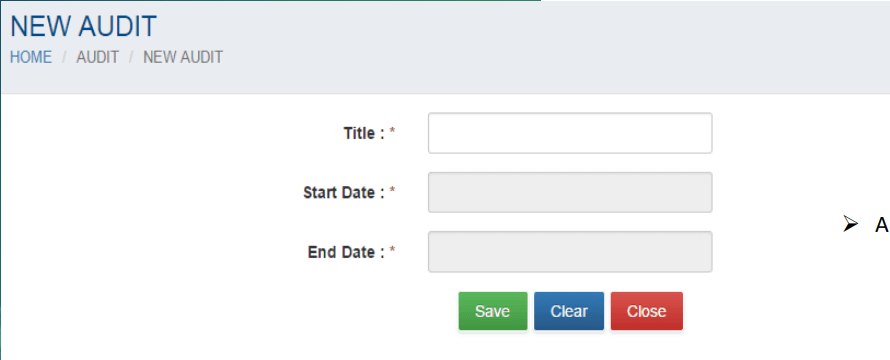
- Audits by title with start and end dates
- Audit by scanning
- Audit-wise report of audited and non-audited assets
- User accounts and user rights by module
- Export of reports
Extended modules
- Compliance management
- Contract management
- Cost tracking
- IT service management
- License management
- Procurement and requisition management
- Inventory master: category, item and unit
Extended modules are part of BSD Infotech’s asset management feature set; the scope for your project is confirmed during the requirement discussion.
Complete Asset Lifecycle Management
BSD Infotech’s asset process flow starts with master data and ends with disposal. Once an asset is tagged, it can be tracked, serviced, audited and transferred as its life requires.
Procurement and requisition are available as separate modules where your project needs them.
RFID Asset Tracking
Each physical asset can be associated with a unique RFID tag. RFID readers can identify tagged assets without requiring visual line-of-sight, depending on the RFID technology, the tag and the application.
1. Tag the asset
Attach a tag suited to the asset’s material and register the tag against the asset record.
2. Read the tag
A reader identifies the tag: a handheld for audits, a desktop reader at a counter, or a fixed or gate reader at a controlled location.
3. Match to the record
The application matches the tag to the asset record, so location, custodian and status are always tied to the right asset.
Permanent transfer
When an asset moves to another location for good, the transfer is recorded in the application and can be traced with barcode or QR code.
Temporary movement
When an asset is taken out for a day or more, such as a laptop moved to another site, the movement can be traced by its RFID tag with readers on the gates.
Issue Assets to Users, Departments and Locations
Issuing an asset means giving a named custodian responsibility for it. The application records who holds each asset and from when.
Identify the asset
Use the asset code — from its barcode, QR code or RFID tag — or search for the asset.
Choose the new custodian
Select the user or owner who will hold the asset. The current custodian is shown for reference.
Set the dates and save
Enter the date of change and the effective date, then save. The transfer is kept in the asset’s records.
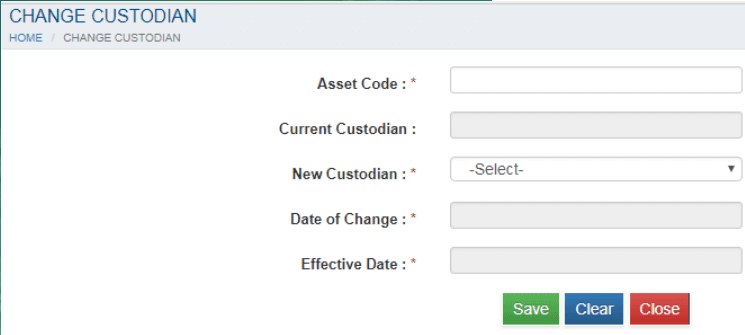
The custodian screen records: asset code, current custodian, new custodian, date of change and effective date. How a handheld or desktop RFID reader is used at your issue counter is agreed during the requirement discussion.
Asset Return and Reassignment
When an asset comes back, or moves to someone else, the change of custody and location is recorded so the asset always has a current owner.
Identify the returned asset
Use its asset code from the barcode, QR code or RFID tag.
Reassign the custodian
Change the custodian to the receiving person, store or department, with the date and effective date.
Update the location
Where the asset returns to a different place, record the change of location and sub-location.
Service if needed
If the asset needs repair, record its service, including repair by a third party.
Laptop and IT Asset Tracking
Laptops, desktops and other IT equipment move often and change hands. Registering each one with its details and an identification tag lets you see who has it, where it is and when its warranty ends.
Details held for each IT asset
- Asset ID and serial number
- Brand and model
- Supplier, cost and purchase date
- Custodian, department and cost centre
- Location and sub-location
- Warranty information and expiry
- Next service and service records
- Insurance details
- Tag status: tagged or not tagged
- Transfer and custodian-change records
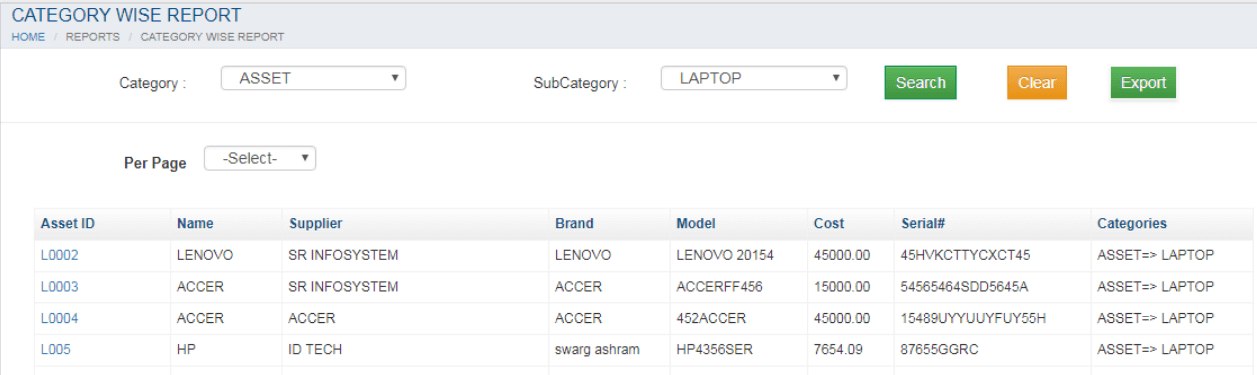
Where laptops are tagged, RFID readers on gates can trace an asset taken out for a day or more. Choose a tag that suits the device body and test its placement before a full roll-out.
Related: inventory management software for stock items, and handheld terminals and barcode scanners.
RFID Asset Audit
Instead of checking each asset by hand and typing in asset numbers one by one, an RFID-enabled audit identifies tagged assets with a reader and compares the physical scan with the system records.
System assets
Every asset registered in the application, with its category, location, custodian and status.
Physically scanned assets
The assets identified during the audit by scanning their tag, barcode or QR code.
The audit report then separates the two groups:
- Create an audit with a title and start and end dates
- Audit assets by scanning
- See the actual location of the asset
- Audit multiple assets in a single audit
- Audit the same asset any number of times
- Generate and export an audit report
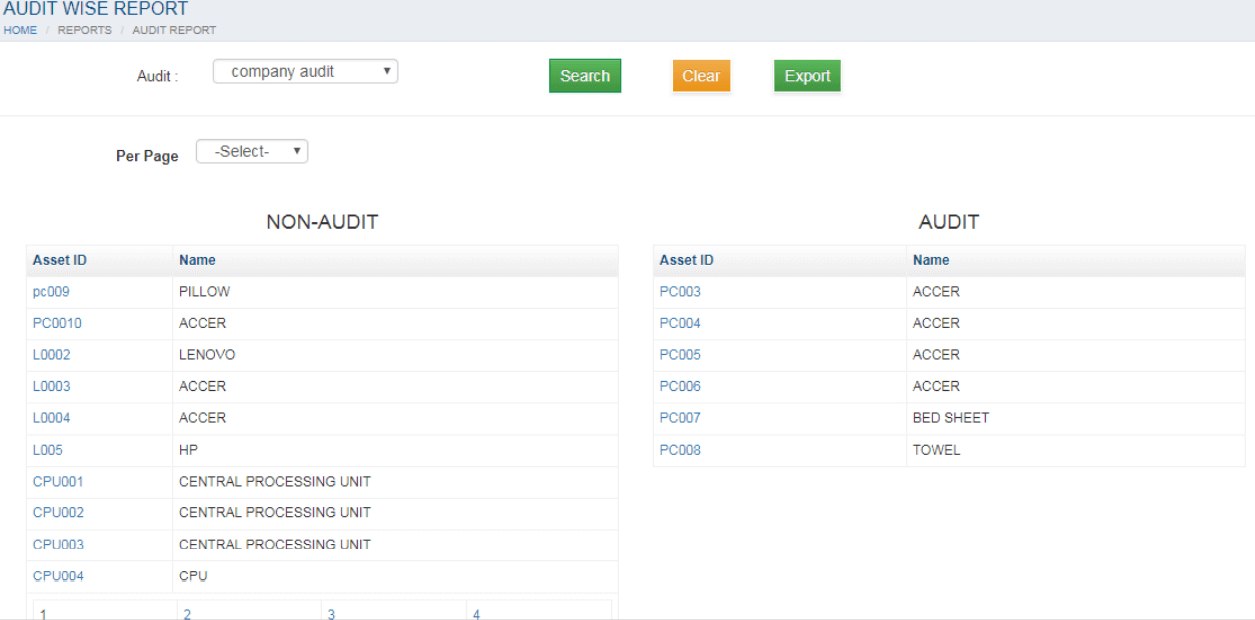
Audit results are reported as audited and not-audited assets. Other exception statuses are not part of the standard audit report.
Know Where Your Assets Are
Assets can be mapped to the organizational locations and users configured in the system, so a search or report answers where an asset is and who holds it.
Location and sub-location
For example a city and a site within it. Transfers move an asset from one location and sub-location to another.
Block and sub-block
Group assets by building or block, and by an area within it.
Department and cost centre
Map each asset to the department and cost centre that owns it.
Custodian
Record the person accountable for each asset and change it when custody changes.
Inventory views you can pull

RFID, Barcode and QR Code — One Asset Platform
The application is not RFID-only. Choose the identification method for each asset category and keep every asset in the same register.
| Technology | Best suited for | In the application |
|---|---|---|
| RFID | Fast, non-line-of-sight identification where the tag, reader and asset material support it; audits and controlled entry and exit points. | Tag registered against the asset record; audit by scanning; readers on gates for temporary movement. |
| Barcode | Individual, low-cost identification of assets that can be scanned one at a time. | Barcode scanning, and barcode labels produced from the application. |
| QR code | Camera or smartphone identification where appropriate. | A QR code is shown for the asset record. |
RFID is not always the better choice. Many organizations use RFID for high-value or high-volume assets and barcode or QR for the rest.
The Right RFID Tag for the Right Asset
One RFID tag type does not work equally well on every asset. BSD Infotech works with different tag types depending on the material and the application — metal, non-metal, plastic, wood, glass, industrial equipment, manufacturing assets, jewellery and IT assets. No tag is claimed to work on every material.
RFID Tags for Metal Assets
Metal surfaces can detune or block an ordinary tag, so they need tags designed for mounting on or near metal. BSD Infotech’s on-metal range includes UHF (EPC Gen2, ISO/IEC 18000-6C) ceramic and ABS-cased tags with screw or rivet mounting holes.
Used on: machinery, manufacturing equipment, servers and IT equipment, electrical equipment, metal containers, tools, warehouse racks and forklifts.
RFID Metal Tags →RFID Tags for Non-Metal Assets
For non-metal surfaces, UHF labels and inlays and RFID cards can identify assets such as furniture, computers, office equipment, plastic equipment, files and general fixed assets.
Used on: furniture, office equipment, files, general fixed assets and inventory.
UHF Labels and Inlays → RFID Labels and Inlays →RFID Tags for Jewellery
Small jewellery tags, including a UHF variant, for tagging individual items for stock identification and stock verification.
RFID Jewellery Tags →RFID tag selection guide
| Asset / application | Tag type to consider | Why |
|---|---|---|
| Metal equipment | On-metal RFID tag | Designed for mounting on or near metal surfaces. |
| Non-metal asset | UHF label, inlay or general RFID tag | Suitable for non-metal surfaces. |
| Jewellery | Jewellery-specific RFID tag | Small format made for jewellery items. |
| Manufacturing equipment | Industrial or on-metal tag as required | Depends on the equipment, mounting and environment. |
| Laptop and IT equipment | RFID asset label or tag suited to the device surface | Compact identification; test placement on the device. |
| General office assets | General UHF label or tag | Simple identification of common assets. |
Tag selection depends on material, mounting position, reader technology and required read performance. BSD Infotech recommends a trial before you tag a full asset base. See all RFID tags.
RFID Asset Tracking for Manufacturing
Production equipment, tools, fixtures, containers and returnable assets move around the plant and between sites. Tagging them lets you see where they are and who is responsible for them.
Equipment and tools
Register production equipment, tools and fixtures, tag them with on-metal or industrial tags, and record transfers between locations.
Containers and returnable assets
BSD Infotech’s on-metal tags are listed for container tracking, warehouse racks and storage, forklifts and machinery.
Service and maintenance
Record next service dates, preventive maintenance and breakfix, including repair by a third party.
Work-in-progress tracking is a separate requirement and is scoped individually.
RFID Asset Tracking for Jewellery
Specialized RFID tagging can be used for jewellery inventory and stock verification where the tag technology is appropriate for the item.
Item tagging
Small jewellery tags, including a UHF variant, are attached to individual items.
Stock identification
Identify items by tag instead of reading every label by eye.
RFID stock audit
Verify stock against the register by scanning, so physical stock checking is faster than manual ticking.
Item movement
Record transfers between locations and custodians, for example from stock room to showroom.
RFID Hardware for Asset Tracking
BSD Infotech supplies the readers along with the software. Product pages list specifications; read range depends on the reader, antenna, tag and environment. Contact BSD Infotech for current prices.
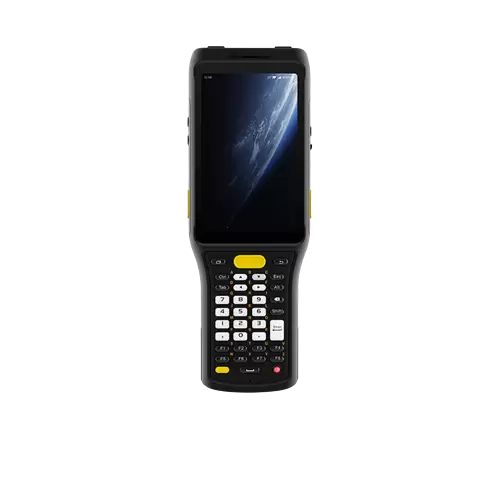
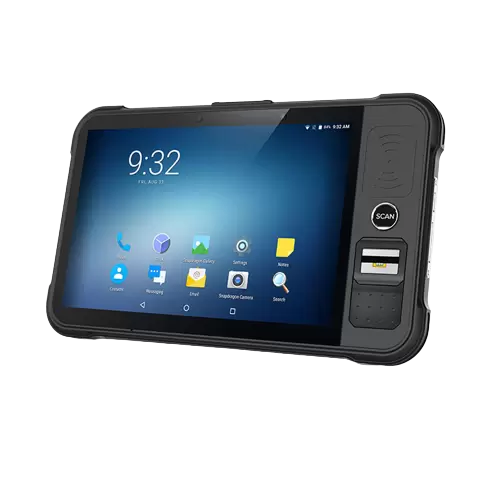
Handheld RFID readers — audit, inventory verification, issue and return, field operations
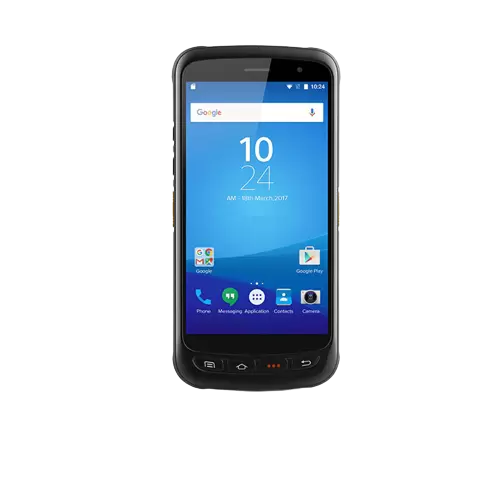
RHC61
Rugged Android-based UHF RFID handheld reader for asset management, logistics and manufacturing.
View product →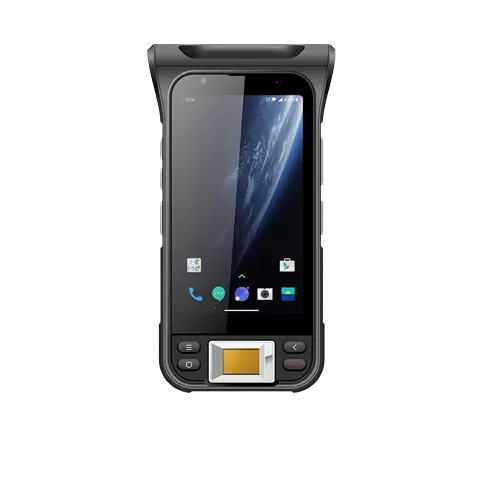
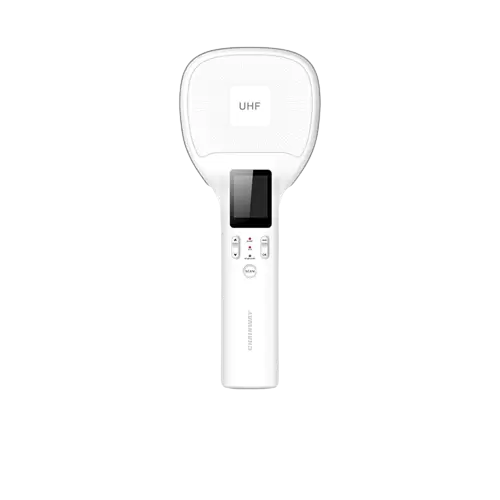
RHR2 Handheld Reader
Compact handheld UHF reader that connects to a smart device by Bluetooth.
View product →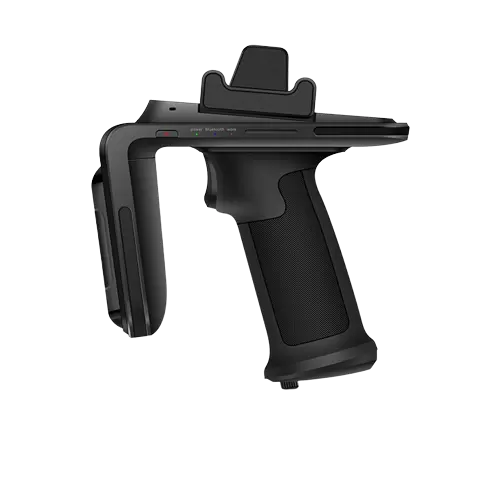
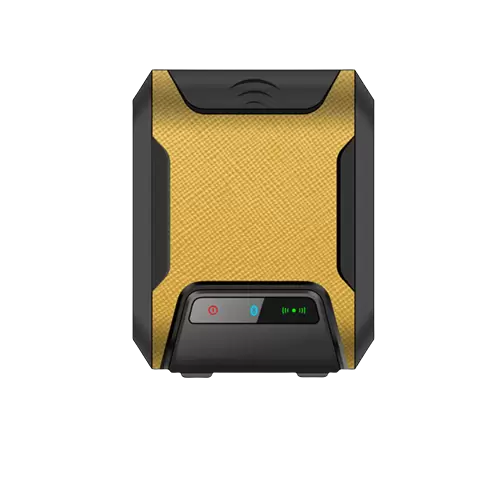
Fixed RFID readers — controlled locations and automated identification
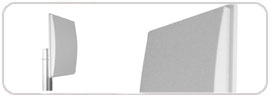
Mid Range UHF Integrated Reader – 85
Compact UHF reader with built-in antenna for medium-range applications.
View product →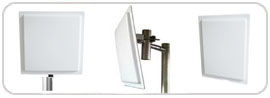
Long Range UHF Integrated Reader – 88
UHF reader with built-in directional antenna for longer-range identification.
View product →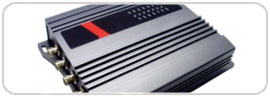
UHF 4-Port Reader – 401
UHF reader with four antenna ports for multi-zone applications.
View product →RFID gate and portal readers — movement in and out of controlled areas
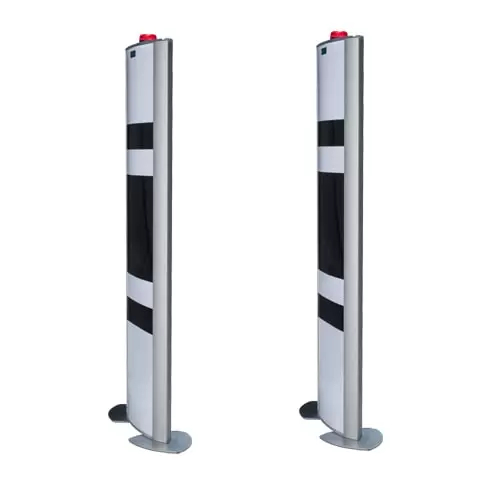
UHF Gate Reader
Compact UHF RFID portal for doorways, hallways and access points.
View product →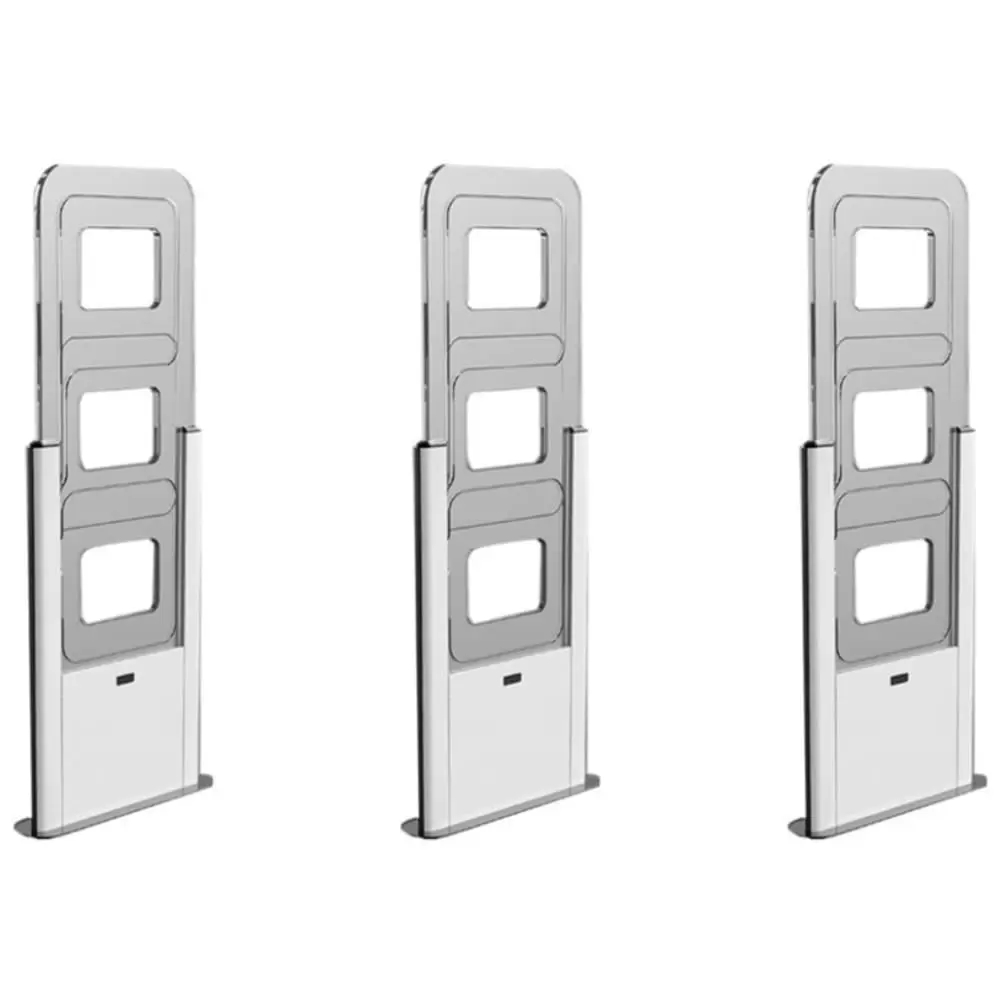
RFID HF Gate Reader
HF RFID gate with two pedestals for ISO/IEC 15693 and ISO 18000-3 tags.
View product →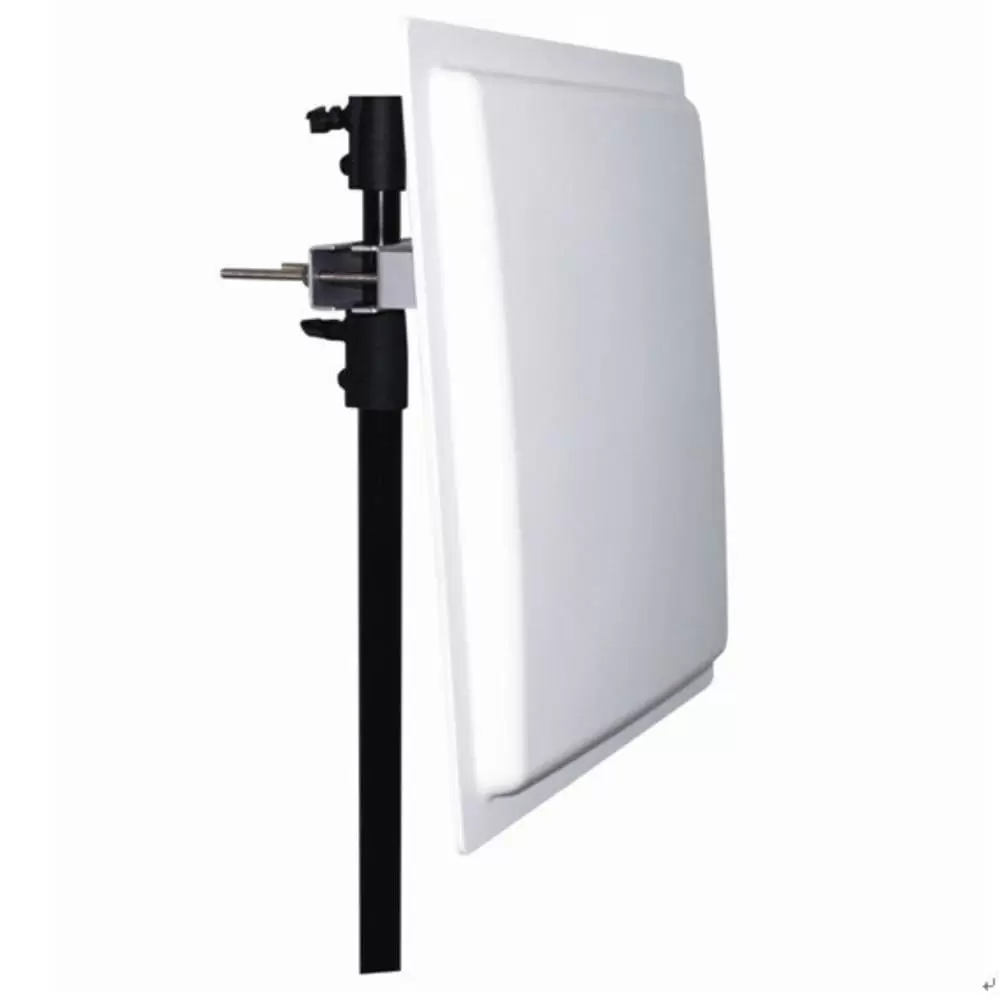
Desktop RFID readers — registration, tag assignment and verification at a desk
Desktop Reader UHF – 107
Desktop UHF reader for tag encoding, inventory checks and checkout counters.
View product →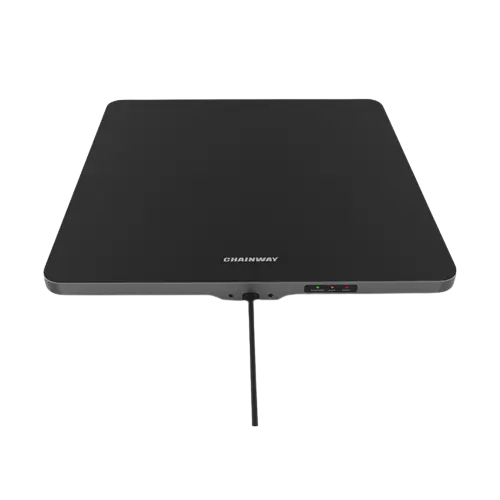
Desktop Reader UHF – R3
Desktop UHF reader for tag registration and inventory management.
View product →How RFID Asset Management Works
Six steps take you from an untracked asset to management reports.
Asset Registration
Create the asset record with its category, supplier, cost, warranty and image.
RFID Tag Assignment
Associate a unique RFID tag, barcode or QR code with the asset.
Asset Issue
Assign the asset to a custodian, department or location.
Asset Movement
Record transfers of location and custodian.
RFID Audit
Scan physical assets and compare them against system records.
Management Reports
Use the reports for operational control and follow-up.
Complete Solution Architecture
The hardware identifies the asset; the application holds the record.
The application can be deployed on-premises or in the cloud, and can be integrated with other systems, such as an HR database, on request.
Industry Applications
The same platform is applied to different industries by choosing the right tags and readers.
Corporate and IT
Laptop and IT asset tracking, custody and warranty.
Warehousing and logistics
Assets, racks and returnable containers.
Education and hostels
Computers, lab equipment, furniture and hostel assets by block and room.
School attendance →Clubs and institutions
Sports, club and event equipment tracked by category and custodian.
Asset Management Reports
Reports in the application can be filtered and exported.
Reports are filtered by date, location, department, category, supplier, custodian or audit as applicable, and can be exported. Additional reports can be built as part of a customization.
Control Every Asset Movement
Custody, transfers and access are recorded and controlled inside the application.
User accountability
Every asset has a custodian, and changes of custodian are recorded with dates.
Transfer records
Location and custodian changes are kept as records of transfers.
User rights
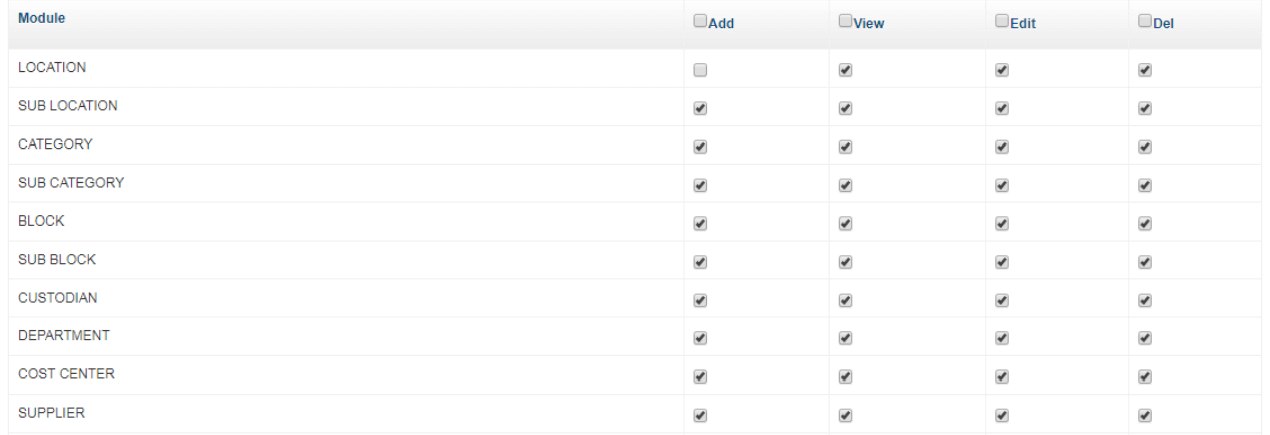
Create users and set Add, View, Edit and Delete rights module by module.
Activity logs
View activity logs and reports.
BSD Infotech RFID Asset Management Experience
BSD Infotech has implemented UHF RFID and barcode asset tracking for different industries. Results are project-specific, so we do not quote guaranteed savings.
Jewellery
A jewellery house in Delhi used UHF RFID to track its silver items. The aim was to move away from manual stock ticking; the customer reduced the manual effort of stock checking and its dependence on individual employees.
Manufacturing and warehouse
A manufacturing company used UHF RFID to track its production equipment, giving it visibility of equipment location and use to plan how assets are allocated.
Your project
Tell us what you track today and how you check it. We will suggest a reader, tag and workflow, and can pilot it on your own assets.
Discuss your requirementRFID Asset Tracking vs Barcode and QR
Each technology has a place. This is a general comparison; results depend on the deployment.
| Capability | RFID | Barcode / QR |
|---|---|---|
| Line of sight | Generally not required | Usually required |
| Multiple items | Can support simultaneous identification, depending on the system | Generally individual scanning |
| Physical scanning | Faster for suitable deployments | Manual scanning |
| Metal environments | Requires a suitable on-metal tag | Depends on label and visibility |
| Cost | Typically higher | Typically lower |
| Best use | High-volume or automated tracking | Cost-sensitive identification |
RFID performance depends on the reader, antenna, tag, material, mounting, environment, orientation and reader configuration.
Frequently Asked Questions
Ready to Automate Asset Tracking?
Whether you need laptop tracking, RFID asset audit, manufacturing asset tracking, jewellery inventory identification or a complete enterprise asset management application, BSD Infotech can help design the appropriate combination of software, readers and RFID tags.