Complete Guide to Implementing a Cashless Campus Solution
Contents
- What is a Cashless Campus Solution?
- Why Educational Institutions Need a Cashless Campus Solution
- Key Components of a Cashless Campus Solution
- Steps to Implement a Cashless Campus Solution
- Step 1: Assess Campus Requirements
- Step 2: Define Objectives
- Step 3: Select the Right Technology
- Step 4: Choose a Reliable Solution Provider
- Step 5: Infrastructure Deployment
- Step 6: Integration with Existing Systems
- Step 7: User Enrollment and Card Issuance
- Step 8: Conduct Pilot Testing
- Step 9: Training and Awareness
- Step 10: Full Deployment and Monitoring
- Benefits of a Cashless Campus Solution
- Faster Transactions
- Increased Accountability
- Better Resource Management
- Improved Student Experience
- Environment-Friendly Operations
- Challenges in Cashless Campus Implementation
- Best Practices for Successful Implementation
- Future of Cashless Campus Solutions
- Conclusion
Educational institutions are rapidly adopting digital technologies to improve campus operations, enhance security, and provide a better experience for students and staff. One of the most impactful innovations is the implementation of a Cashless Campus Solution. By replacing physical cash transactions with digital payment systems, schools, colleges, universities, and corporate campuses can streamline financial operations, improve accountability, and create a safer environment.
This complete guide explains what a cashless campus solution is, its benefits, key components, implementation process, challenges, and best practices for successful deployment.
What is a Cashless Campus Solution?
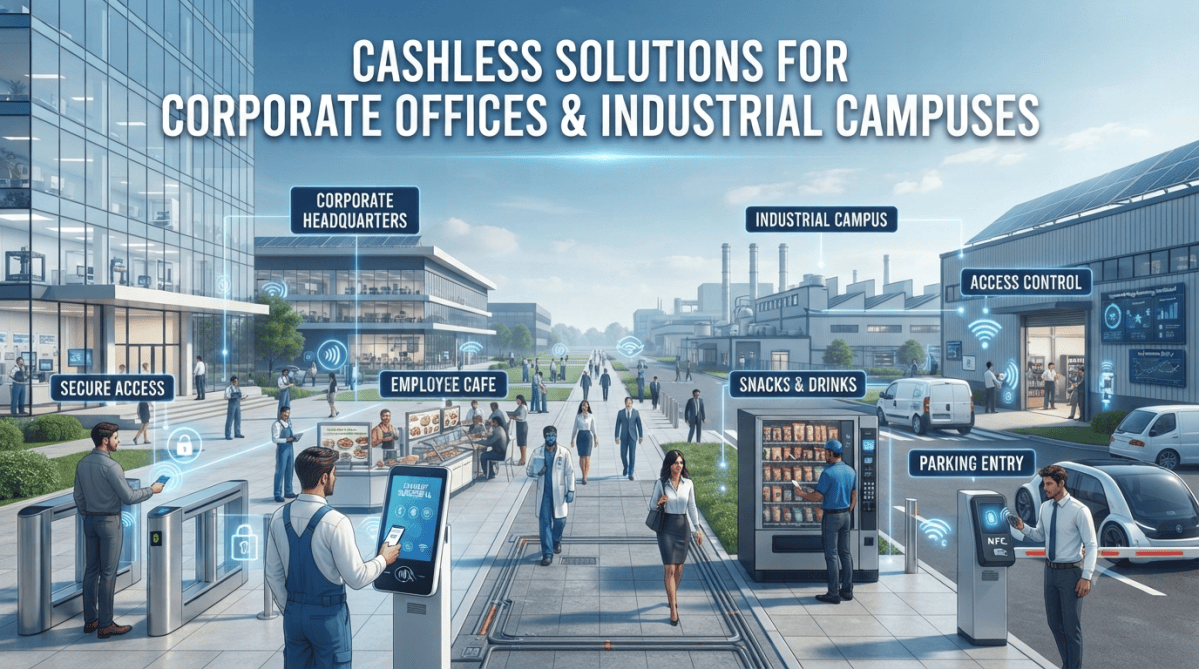
A Cashless Campus Solution is a digital payment ecosystem that enables students, faculty, staff, and visitors to make transactions without using physical cash. Payments are made through smart ID cards, RFID cards, NFC-enabled devices, biometric authentication, mobile applications, QR codes, or digital wallets.
These solutions can be integrated with various campus services, including:
- Cafeterias and food courts
- Libraries
- Transportation services
- Hostel and dormitory facilities
- Stationery stores
- Printing and photocopying services
- Event registrations
- Fee payments
- Access control systems
Why Educational Institutions Need a Cashless Campus Solution
Enhanced Security
Carrying cash increases the risk of theft, loss, and unauthorized handling. A cashless system significantly reduces these risks by enabling secure digital transactions.
Improved Operational Efficiency
Manual cash handling requires significant administrative effort. Digital payments automate transaction processing, reconciliation, and reporting.
Better Financial Transparency
Every transaction is recorded electronically, providing complete visibility into spending patterns and financial activities.
Convenient User Experience
Students and staff can make payments quickly without carrying cash or waiting for change.
Reduced Administrative Costs
Cash management, counting, storage, and transportation costs are minimized.
Key Components of a Cashless Campus Solution
Smart Cards or RFID Cards
Students and staff can use personalized RFID or smart cards for payments and identification purposes.
Mobile Payment Application
A dedicated mobile app allows users to:
- Check balances
- View transaction history
- Recharge accounts
- Make payments digitally
Payment Gateway Integration
Secure payment gateways facilitate online fund transfers and account recharges.
Centralized Management System
Administrators can monitor transactions, generate reports, manage accounts, and track financial activities through a centralized dashboard.
Access Control Integration
Cashless campus systems can integrate with access control systems for attendance monitoring and secure entry management.
Steps to Implement a Cashless Campus Solution
Step 1: Assess Campus Requirements
Begin by identifying:
- Number of users
- Existing infrastructure
- Payment locations
- Security requirements
- Budget constraints
A detailed assessment helps in selecting the right solution.
Step 2: Define Objectives
Common goals include:
- Reducing cash transactions
- Improving transaction speed
- Enhancing security
- Automating fee collection
- Integrating access control
Clearly defined objectives guide implementation decisions.
Step 3: Select the Right Technology
Choose technologies based on campus needs:
RFID Cards
Ideal for quick payments and access control.
NFC Payments
Suitable for smartphone-based transactions.
Biometric Authentication
Provides higher security for sensitive transactions.
QR Code Payments
Cost-effective and easy to deploy.
Step 4: Choose a Reliable Solution Provider
Evaluate vendors based on:
- Industry experience
- Security standards
- Scalability
- Technical support
- Integration capabilities
A reliable provider ensures smooth implementation and long-term success.
Step 5: Infrastructure Deployment
Install necessary hardware and software, including:
- Card readers
- Payment terminals
- Access control devices
- Network infrastructure
- Management software
Ensure all systems are properly configured and tested.
Step 6: Integration with Existing Systems
The cashless solution should integrate with:
- Student management systems
- ERP software
- Attendance systems
- Access control systems
- Library management systems
Integration reduces data duplication and improves efficiency.
Step 7: User Enrollment and Card Issuance
Register students, faculty, and staff within the system.
This process may include:
- Identity verification
- Card issuance
- Mobile app activation
- Account setup
Step 8: Conduct Pilot Testing
Before full deployment, test the solution with a limited group of users.
Pilot testing helps identify:
- Technical issues
- User challenges
- System performance concerns
Necessary adjustments can be made before campus-wide implementation.
Step 9: Training and Awareness
Provide training for:
- Administrators
- Faculty
- Students
- Support staff
Awareness campaigns encourage adoption and reduce resistance to change.
Step 10: Full Deployment and Monitoring
After successful testing, launch the system across the campus and continuously monitor performance.
Track:
- Transaction success rates
- User satisfaction
- System uptime
- Security incidents
Regular monitoring ensures optimal operation.
Benefits of a Cashless Campus Solution
Faster Transactions
Digital payments significantly reduce waiting times at cafeterias, stores, and service counters.
Increased Accountability
Every transaction is digitally recorded, reducing fraud and financial discrepancies.
Better Resource Management
Administrators gain access to detailed reports and analytics for informed decision-making.
Improved Student Experience
Students enjoy seamless and convenient payment methods throughout the campus.
Environment-Friendly Operations
Reduced paper receipts and manual processes contribute to sustainability initiatives.
Challenges in Cashless Campus Implementation
User Adoption Resistance
Some users may be reluctant to switch from cash transactions.
Technical Infrastructure Costs
Initial deployment may require investment in hardware and software.
Data Security Concerns
Institutions must implement strong cybersecurity measures to protect sensitive information.
System Downtime Risks
Reliable backup systems and disaster recovery plans are essential.
Best Practices for Successful Implementation
Prioritize Security
Use encryption, secure authentication, and regular security audits.
Ensure Scalability
Choose solutions that can accommodate future campus growth.
Provide Multiple Payment Options
Support RFID cards, mobile payments, QR codes, and digital wallets.
Offer Continuous Support
Provide technical assistance and user support to ensure smooth operations.
Monitor and Improve
Regularly analyze system performance and user feedback for continuous improvement.
Future of Cashless Campus Solutions
Emerging technologies such as Artificial Intelligence (AI), Internet of Things (IoT), facial recognition, and advanced biometrics are making cashless campuses even smarter. Future systems will offer enhanced personalization, predictive analytics, and seamless integration with broader smart campus initiatives.
Conclusion
A Cashless Campus Solution is a transformative investment that enhances security, efficiency, transparency, and user convenience. By carefully planning the implementation process, selecting the right technology, and ensuring proper training and support, educational institutions can successfully transition to a fully digital payment ecosystem. As campuses continue to embrace digital transformation, cashless solutions will play a critical role in creating smarter, safer, and more efficient learning environments.
Need help with Cashless solution? BSD Infotech supplies the hardware, builds the software and integrates both.
Request a Quote