
How QR Code Ordering Improves Canteen Efficiency
Contents
- What Is QR Code Ordering?
- 1. Reduces Long Queues
- 2. Speeds Up the Ordering Process
- 3. Minimizes Order Errors
- 4. Provides a Digital Menu
- 5. Supports Cashless Payments
- 6. Improves Kitchen and Counter Coordination
- 7. Helps Manage Peak-Hour Demand
- 8. Improves Customer Experience
- 9. Makes Order Tracking Easier
- 10. Improves Inventory Planning
- 11. Provides Useful Business Insights
- 12. Reduces Administrative Work
- 13. Scalable for Different Institutions
- 14. Integration with Canteen Management Systems
- 15. Enhances Operational Efficiency
- Best Practices for Implementing QR Code Ordering
- Conclusion
Canteens are an important part of schools, colleges, universities, corporate offices, hospitals, and other institutions. However, managing a busy canteen can become challenging when large numbers of people place orders at the same time. Long queues, manual order taking, payment delays, incorrect orders, and difficulty managing peak-hour demand can affect both customers and canteen staff.
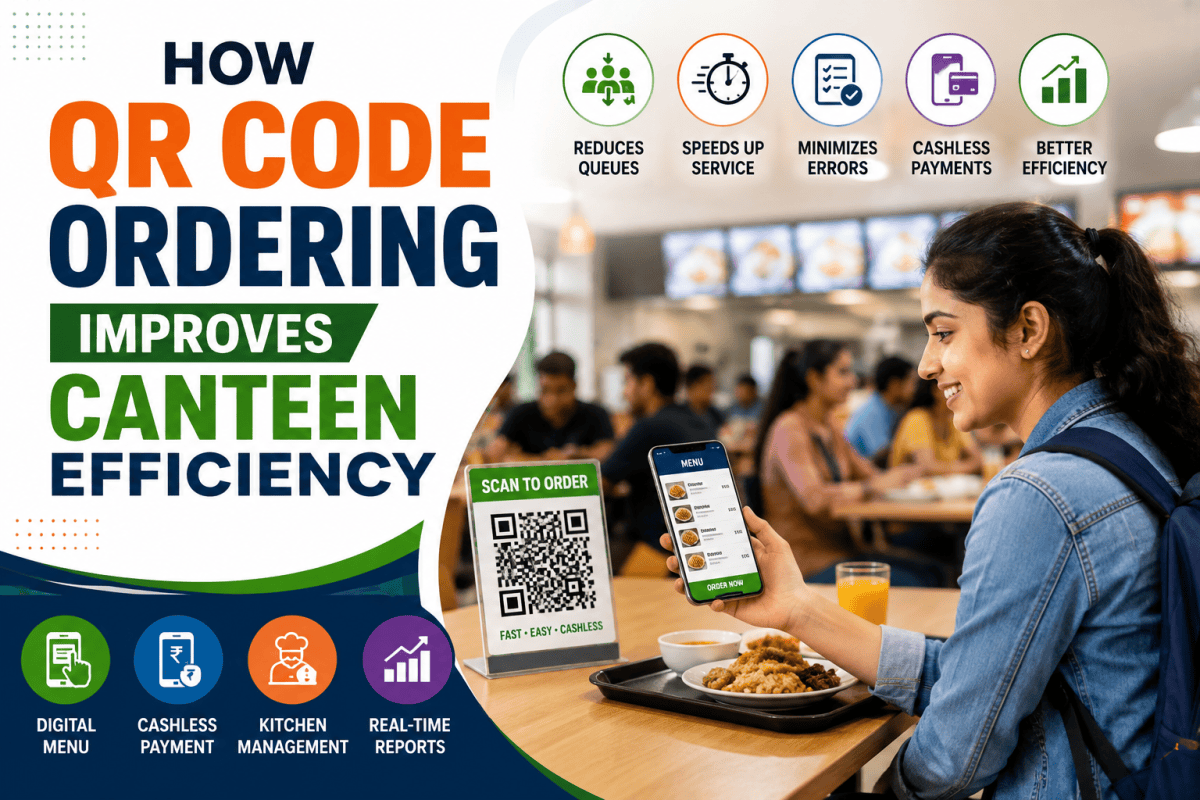
QR Code Ordering provides a simple and effective way to digitize the food-ordering process. Customers can scan a QR code using their smartphones, view the digital menu, select their food items, place an order, and make a payment without standing in a long queue.
By connecting ordering with digital payment and canteen management systems, QR Code Ordering can help institutions create a faster, more organized, and more efficient canteen experience.
What Is QR Code Ordering?
QR Code Ordering is a digital food-ordering system that allows customers to place canteen orders by scanning a QR code.
The QR code can be displayed on tables, counters, notice boards, student ID areas, or other convenient locations. After scanning the code, the user can access the digital menu and select available food and beverage items.
A typical QR Code Ordering process works as follows:
- The customer scans the QR code.
- The digital menu opens on their smartphone.
- The customer selects food and beverages.
- The order is submitted digitally.
- Payment can be completed through available digital payment options.
- The canteen receives the order on its management system.
- Staff prepare the order.
- The customer collects the order when it is ready.
This eliminates many manual steps involved in traditional counter-based ordering.
1. Reduces Long Queues
One of the biggest challenges in a busy canteen is the queue during lunch breaks and peak hours.
With traditional ordering, customers have to wait for their turn, tell the cashier what they want, make payment, and wait for the order to be processed.
QR Code Ordering allows customers to place orders directly from their smartphones. Multiple customers can place their orders simultaneously, reducing pressure at the counter.
As a result, canteens can handle more orders efficiently without requiring every customer to wait in the same physical queue.
2. Speeds Up the Ordering Process
Manual order taking requires communication between the customer and cashier. During busy periods, this can slow down operations.
QR Code Ordering provides customers with a digital menu where they can directly select their preferred items. The order is automatically transferred to the canteen system.
This can significantly reduce the time spent on:
- Explaining menu items
- Writing orders manually
- Calculating bills
- Entering orders into a system
- Handling cash transactions
Faster ordering means faster service and a better customer experience.
3. Minimizes Order Errors
Manual order taking can sometimes result in mistakes. A cashier may misunderstand an item, quantity, customization, or special request.
With digital ordering, customers select the items themselves from the available menu. The order is then transferred electronically to the canteen management system.
This helps reduce common errors such as:
- Incorrect food items
- Wrong quantities
- Misunderstood selections
- Incorrect billing
- Missed orders
Accurate order information also makes food preparation more organized.
4. Provides a Digital Menu
A digital menu makes it easier for canteen operators to manage and update food items.
Instead of printing new menus whenever prices or items change, administrators can update the digital menu from the management system.
The menu can display:
- Food and beverage items
- Prices
- Availability
- Special offers
- Meal combinations
- Categories
- Daily specials
This gives customers access to updated information while reducing the need for printed menus.
5. Supports Cashless Payments
QR Code Ordering can be integrated with digital payment systems, allowing customers to complete transactions without handling cash.
Depending on the system, customers may be able to use options such as UPI, cards, digital wallets, or institutional prepaid wallets.
Cashless payments can help canteens:
- Reduce cash handling
- Speed up checkout
- Improve transaction records
- Reduce calculation errors
- Simplify reconciliation
For institutions handling hundreds or thousands of daily transactions, digital payments can make financial management considerably easier.
6. Improves Kitchen and Counter Coordination
Efficient communication between the ordering counter and kitchen is essential for smooth canteen operations.
When orders are entered digitally, kitchen staff can receive clear information about what needs to be prepared. This can reduce dependency on handwritten slips or verbal communication.
A digital order management system can help staff organize orders according to:
- Order number
- Time received
- Food category
- Preparation status
- Pickup status
This improves coordination between different areas of the canteen.
7. Helps Manage Peak-Hour Demand
Canteens often experience a sudden increase in orders during lunch breaks, short breaks, and other fixed time periods.
QR Code Ordering allows orders to enter the system continuously instead of requiring customers to form a single physical line.
Management can monitor incoming orders and identify periods of high demand. This information can help administrators plan staffing, food preparation, and inventory more effectively.
8. Improves Customer Experience
Convenience is one of the most important benefits of digital ordering.
Customers can browse the menu and place an order using their smartphones without repeatedly interacting with the counter staff.
A smoother experience can help customers:
- Save time
- Avoid long queues
- View prices before ordering
- Select items at their own pace
- Receive clearer order information
- Make digital payments conveniently
For students and employees who have limited break times, these improvements can make a significant difference.
9. Makes Order Tracking Easier
Digital ordering provides better visibility into the status of an order.
Depending on the system, customers and staff may be able to see whether an order is:
Received → Confirmed → Preparing → Ready → Collected
This reduces confusion and helps customers understand when their food is likely to be available.
For canteen administrators, order tracking also provides useful information about service speed and operational performance.
10. Improves Inventory Planning
QR Code Ordering can generate valuable data about food consumption patterns.
Administrators can analyze which items are ordered most frequently and during which periods demand is highest.
For example, data may show that:
- Certain meals are popular on specific days.
- Beverages have higher demand during afternoons.
- Some food items sell quickly during lunch.
- Certain products have consistently low demand.
This information can help canteen operators plan purchasing and food preparation more accurately, potentially reducing unnecessary wastage.
11. Provides Useful Business Insights
Digital orders generate structured data that can be used for reporting and analysis.
Canteen administrators can monitor metrics such as:
- Total orders
- Daily sales
- Popular food items
- Peak ordering times
- Payment trends
- Cancelled orders
- Average order value
- Food consumption patterns
These insights can support better operational and financial decisions.
12. Reduces Administrative Work
Traditional canteen operations often involve multiple manual activities, including order entry, billing, cash reconciliation, and maintaining sales records.
QR Code Ordering automates many of these activities.
By integrating QR ordering with a canteen management platform, administrators can manage orders, payments, menus, and reports from a centralized system.
This allows staff to spend more time focusing on food preparation and customer service rather than repetitive administrative tasks.
13. Scalable for Different Institutions
QR Code Ordering is not limited to small cafeterias. It can be used across different types of institutions.
Schools and Colleges
Students can scan QR codes to order snacks, meals, and beverages during breaks.
Universities
Large campuses can use QR ordering across multiple cafeterias, food courts, and dining areas.
Corporate Offices
Employees can place meal orders without spending their entire break waiting in line.
Hospitals
Staff and visitors can use digital ordering systems in hospital cafeterias and food outlets.
Industrial Canteens
Large workforces can benefit from faster ordering, cashless payments, and better meal planning.
14. Integration with Canteen Management Systems
The real value of QR Code Ordering comes from integrating it with a complete digital canteen management system.
A centralized solution can connect:
QR Ordering + Digital Menu + POS + Cashless Payment + Kitchen Management + Inventory + Reporting
This creates a connected ecosystem where information flows between ordering, payment, food preparation, inventory, and reporting.
For example, when a customer places an order, the system can automatically record the transaction, send the order to the kitchen, update sales information, and provide data for management reports.
15. Enhances Operational Efficiency
The combination of faster ordering, fewer errors, digital payments, and automated reporting can significantly improve overall canteen efficiency.
Instead of relying on several disconnected manual processes, institutions can create a streamlined digital workflow.
A simplified process can look like:
Scan QR → Browse Menu → Place Order → Pay Digitally → Kitchen Receives Order → Prepare Food → Customer Collects Order
This reduces unnecessary steps and creates a more predictable ordering process.
Best Practices for Implementing QR Code Ordering
To get the best results from QR Code Ordering, institutions should consider the following practices:
Keep the Interface Simple
The ordering screen should be easy to understand and navigate, especially for students and first-time users.
Keep Menu Information Updated
Prices, availability, and food items should be updated regularly.
Provide Multiple Payment Options
Supporting commonly used digital payment methods can make the system more convenient.
Display QR Codes Clearly
QR codes should be placed at easily accessible locations such as tables, counters, entrances, and dining areas.
Train Canteen Staff
Staff should understand how to receive, process, update, and complete digital orders.
Monitor Performance
Administrators should regularly review order volumes, peak hours, popular items, and customer feedback.
Conclusion
QR Code Ordering is transforming the way modern canteens manage food ordering and customer service. By replacing manual ordering with a digital process, institutions can reduce queues, minimize order errors, accelerate service, support cashless payments, and improve operational visibility.
When integrated with a complete canteen management system, QR Code Ordering becomes more than just a convenient way to place food orders. It becomes an important part of a connected digital ecosystem that links customers, payments, kitchen operations, inventory, and management reporting.
For schools, colleges, universities, corporate offices, hospitals, and industrial facilities looking to modernize their food-service operations, QR Code Ordering can be a practical step toward creating a faster, smarter, and more efficient digital canteen.
Frequently Asked Questions
1. What is QR Code Ordering in a canteen?
QR Code Ordering allows customers to scan a QR code using their smartphone, view the digital menu, select food items, place an order, and make a digital payment.
2. How does QR ordering reduce canteen queues?
Customers can place orders from their smartphones instead of waiting at the counter, allowing multiple orders to be processed simultaneously.
3. Can QR Code Ordering support cashless payments?
Yes. QR ordering systems can be integrated with digital payment options such as UPI, cards, and digital wallets, depending on the solution.
4. Can QR ordering be integrated with canteen management software?
Yes. It can be integrated with POS, kitchen management, inventory, payment, and reporting modules to create a complete digital canteen ecosystem.
5. Is QR Code Ordering suitable for universities and large institutions?
Yes. It is particularly useful in environments with large numbers of students, employees, or visitors and high peak-hour demand.
Need help with Canteen Management? BSD Infotech supplies the hardware, builds the software and integrates both.
Request a Quote