
How Digital Billing Speeds Up Canteen Operations
Contents
- What Is Digital Billing in a Canteen?
- Why Traditional Canteen Billing Creates Delays
- How Digital Billing Speeds Up Canteen Operations
- Digital Billing and Canteen Inventory Management
- Real-Time Sales Reports
- Digital Billing for Schools and Colleges
- Digital Billing for Corporate Canteens
- Digital Billing Improves Customer Experience
- Digital Billing and Canteen Analytics
- How Digital Billing Supports Faster Operations
- What Features Should a Digital Canteen Billing System Have?
- The Future of Canteen Billing
- Conclusion
Canteens are often busiest during short and predictable time windows—school lunch breaks, college intervals, and corporate lunch hours. During these periods, even a small delay at the billing counter can create long queues, slow down service, and affect the overall dining experience.
Traditional billing methods involving cash, paper tokens, manual calculations, and physical registers can make the process even slower. Digital billing for canteens provides a faster and more organized alternative by automating transactions, reducing manual work, and providing real-time information to canteen operators.
Modern cafeteria management systems can combine digital ordering, cashless payments, billing, inventory management, and reporting into a single workflow.
What Is Digital Billing in a Canteen?
Digital billing is a technology-based process in which food orders and payments are recorded electronically instead of relying on manual registers or paper receipts.
Depending on the system, customers may pay through:
- UPI
- Debit and credit cards
- Digital wallets
- RFID or smart cards
- QR codes
- Prepaid meal accounts
- Mobile applications
The transaction is automatically recorded in the system, allowing the canteen staff and administrators to maintain accurate sales records.
Digital cafeteria platforms can also connect billing with student or employee databases, enabling organizations to track purchases and payments more efficiently.
Why Traditional Canteen Billing Creates Delays
Manual billing may appear simple when customer traffic is low. However, the process becomes challenging during peak hours.
A typical cash transaction may involve:
- Selecting the food items.
- Calculating the total amount.
- Collecting cash.
- Counting the money.
- Returning change.
- Preparing a receipt or token.
- Recording the transaction.
When hundreds of students or employees arrive within a short period, these additional steps can quickly create a queue.
Cash handling can also increase the chances of calculation mistakes, misplaced records, and difficulties during end-of-day reconciliation.
How Digital Billing Speeds Up Canteen Operations
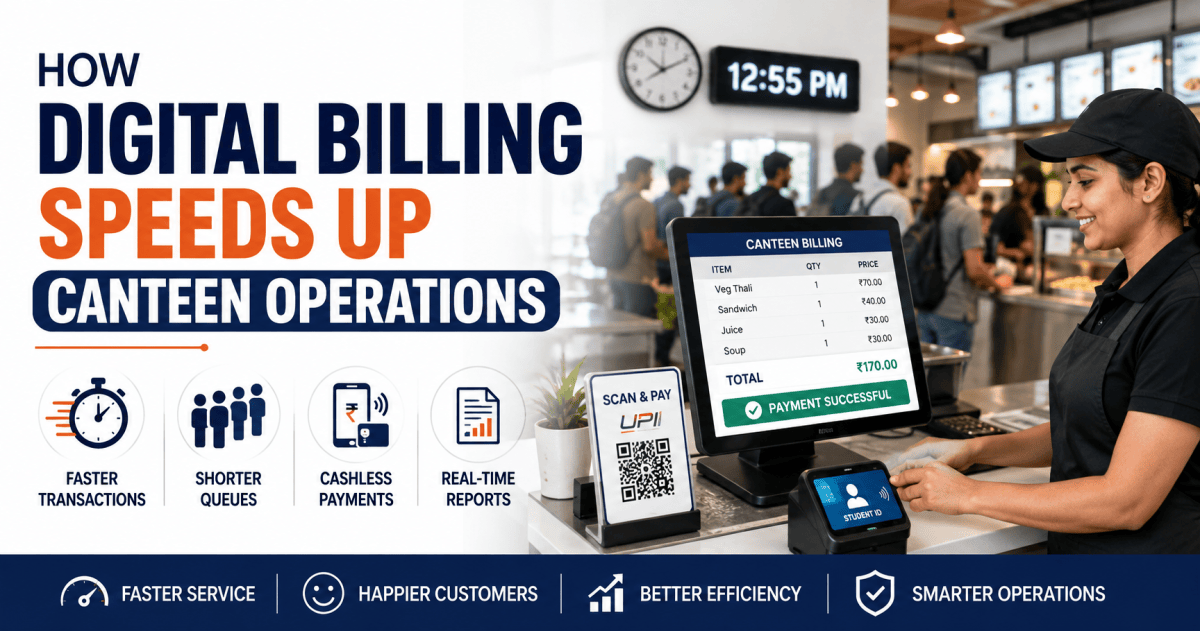
1. Faster Transactions
Digital payments reduce the number of manual steps involved in completing a purchase.
Instead of counting cash and returning change, the customer can simply scan a QR code, tap a smart card, or complete a digital payment.
This allows the cashier to process more customers during busy periods.
Some digital canteen systems also support student ID or smart-card-based billing, where the user’s account is linked directly to the payment system.
2. Shorter Queues
Long queues are one of the biggest challenges during lunch breaks.
Digital billing reduces transaction time at the counter, allowing customers to move through the queue faster. When combined with digital ordering or pre-ordering, customers may be able to place their orders before reaching the counter.
This approach can significantly improve the movement of people through busy cafeteria areas. Digital ordering platforms increasingly use pre-orders, QR pickup, and live order tracking to reduce physical queues.
3. Less Cash Handling
Cash management requires employees to count money, maintain change, reconcile collections, and store cash securely.
Digital billing reduces these activities by recording transactions electronically.
For organizations operating large cafeterias, cashless systems can support multiple payment methods while maintaining a centralized record of transactions.
4. Automatic Transaction Records
With manual billing, staff may need to enter sales information into registers or spreadsheets.
Digital billing automatically records important information such as:
- Date and time
- Customer or ID
- Food item
- Quantity
- Price
- Payment method
- Total transaction value
This creates a digital transaction history that can be used for accounting, auditing, and operational analysis.
5. Improved Billing Accuracy
Manual calculations can result in incorrect totals, wrong change, duplicate entries, or missing records.
Digital billing systems calculate the bill automatically based on predefined item prices.
For example, if a customer purchases:
- Sandwich – ₹50
- Juice – ₹30
- Snack – ₹20
The system automatically calculates the total as ₹100.
This reduces repetitive calculation work and helps minimize common billing errors.
Digital Billing and Canteen Inventory Management
Billing does more than process payments. It can also provide valuable information about food demand.
Every completed transaction generates sales data. When this information is connected with inventory management, administrators can understand which products are selling and when demand is highest.
For example, if a canteen consistently sells more sandwiches between 12:30 PM and 1:30 PM, the kitchen team can prepare sufficient stock for that period.
Modern cafeteria systems can connect order processing, billing, inventory tracking, and reporting to provide better operational control.
Real-Time Sales Reports
Digital billing makes it easier for administrators to monitor canteen performance.
Reports can include:
- Daily sales
- Item-wise sales
- Counter-wise sales
- Peak-hour transactions
- Payment-method reports
- Customer spending
- Revenue trends
- Frequently purchased items
Such reports help management understand what is happening inside the canteen instead of relying only on manual registers.
For educational institutions, item- and date-wise sales reports can also help administrators monitor payments and cafeteria activity.
Digital Billing for Schools and Colleges
Educational institutions can benefit significantly from digital canteen billing.
A student’s ID card, RFID card, or digital wallet can be connected to the cafeteria account. Parents or administrators can add funds and monitor spending, depending on the system.
Students can then make purchases without carrying cash.
Some modern school canteen platforms also support prepaid wallets, parental spending controls, purchase tracking, and contactless payments.
This creates a more convenient and controlled cafeteria experience for students, parents, and school administrators.
Digital Billing for Corporate Canteens
Corporate cafeterias face a different challenge: a large number of employees may arrive during the same lunch period.
Digital billing can help organizations manage this peak demand through:
- Cashless payments
- Employee ID integration
- QR ordering
- Prepaid meal accounts
- Digital receipts
- Multiple billing counters
- Real-time sales reports
A digital cafeteria can also provide live menu visibility and payment options such as UPI, cards, wallets, and corporate meal balances.
Digital Billing Improves Customer Experience
Speed is not the only benefit.
Customers also expect convenience and transparency.
With digital billing, customers can receive:
- Faster checkout
- Digital payment options
- Electronic receipts
- Purchase history
- Pre-ordering options
- Cashless transactions
- Reduced waiting time
When customers spend less time waiting at the counter, they have more time to enjoy their meal and return to their class or workplace.
Digital Billing and Canteen Analytics
One of the biggest advantages of digital billing is the data it generates.
Instead of simply knowing how much money was collected, administrators can understand how, when, and what customers are purchasing.
For example, analytics can help answer:
- What is the best-selling food item?
- What is the busiest lunch period?
- Which counter handles the most transactions?
- Which items have declining demand?
- How much revenue is generated each day?
- Which payment method is most frequently used?
These insights can help canteen managers improve menus, staffing, inventory planning, and service.
How Digital Billing Supports Faster Operations
A well-integrated digital canteen system can connect several processes:
Customer → Order → Digital Billing → Payment → Kitchen → Pickup → Reporting
Instead of each activity being handled separately, information can move through a connected system.
For example:
Step 1: Student selects food.
Step 2: Order is entered digitally.
Step 3: Payment is completed through a digital method.
Step 4: The order is sent to the kitchen.
Step 5: Staff prepares the food.
Step 6: Customer receives the order.
Step 7: The transaction is automatically recorded for reporting.
This integrated workflow can reduce repetitive manual tasks and improve coordination between the counter, kitchen, and administration.
What Features Should a Digital Canteen Billing System Have?
Organizations should look for a system that supports their specific operational requirements.
Important features may include:
Digital Payments
Support for UPI, cards, wallets, RFID cards, or other approved payment methods.
Smart ID Integration
Link student or employee IDs with cafeteria accounts.
POS Billing
Quick billing interface for cafeteria counters.
QR Code Ordering
Allow users to scan and place orders digitally.
Prepaid Wallets
Enable users or parents to add money before making purchases.
Inventory Management
Track food stock and consumption.
Real-Time Reports
Provide updated sales and transaction information.
Multi-Counter Support
Manage several counters from a centralized system.
User Spending Controls
Useful for schools, colleges, and organizations that need spending limits.
Transaction History
Maintain a searchable record of purchases and payments.
The Future of Canteen Billing
Canteen management is moving from simple cash counters toward integrated digital ecosystems.
Future-ready systems are increasingly combining:
Digital Billing + Cashless Payments + Smart ID + Ordering + Inventory + Analytics
This creates a connected cafeteria where every transaction contributes to better operational visibility.
For institutions with large student or employee populations, the goal is not simply to replace cash with digital payments. The bigger objective is to create a faster, more transparent, and data-driven canteen operation.
Conclusion
Digital billing speeds up canteen operations by reducing manual work, simplifying payments, improving billing accuracy, and creating real-time transaction records.
When combined with digital ordering, smart cards, QR codes, inventory management, and analytics, it can transform a traditional canteen into a more efficient digital cafeteria.
For schools, colleges, corporate offices, hospitals, and other institutions, investing in digital canteen billing can help reduce queues, improve customer experience, strengthen financial visibility, and make everyday cafeteria management easier.
A faster billing process is not just about saving a few seconds per transaction. When hundreds or thousands of transactions happen every day, those seconds can add up to significant improvements in the overall operation.
Need help with Canteen Management? BSD Infotech supplies the hardware, builds the software and integrates both.
Request a Quote