
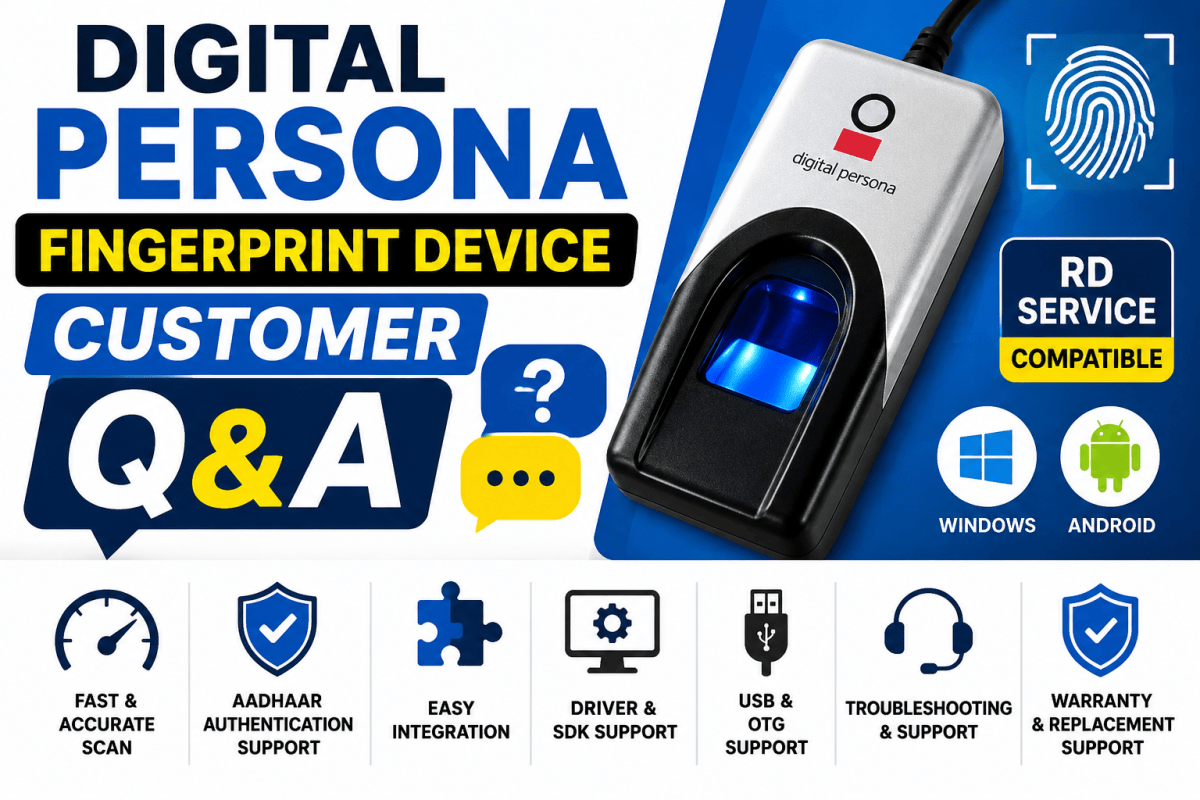
Digital Persona Fingerprint Device
Contents
- 1. Is the Device RD Service Compatible?
- 2. Does It Support Both Windows and Android?
- 3. What Is the Driver Installation Process?
- 4. How Fast Is the Fingerprint Capture Speed?
- 5. Can It Be Used for Aadhaar Authentication?
- 6. Is the Device Original Digital Persona?
- 7. Can It Integrate with Attendance Software?
- 8. Fingerprint Is Not Detecting Properly — How to Troubleshoot?
- 9. How to Fix USB Connectivity Issues?
- 10. What Is the Warranty Replacement Process?
- 11. Is SDK Available for Developer Integration?
- 12. Does the Device Support OTG?
- 13. Can It Be Used for Both Office Attendance and Banking?
- Conclusion
Digital Persona fingerprint devices are widely used for biometric authentication, Aadhaar verification, office attendance systems, banking applications, eKYC processes, and access control systems. These devices are known for fast fingerprint capture, high accuracy, and reliable performance.
Below are some of the most frequently asked customer questions and answers about Digital Persona fingerprint devices.
1. Is the Device RD Service Compatible?
Yes, selected Digital Persona models support RD Service compatibility. RD Service is required for secure biometric authentication in Aadhaar-enabled applications and government systems.
Always confirm RD compatibility before purchasing the device.
2. Does It Support Both Windows and Android?
Yes, depending on the model, Digital Persona fingerprint devices support both Windows and Android platforms.
Supported Platforms:
- Windows 7, 8, 10, and 11
- Android devices with OTG support
- Desktop and laptop systems
- Some POS and tablet devices
3. What Is the Driver Installation Process?
The driver installation process is simple and user-friendly.
Installation Steps:
- Download the driver setup file
- Run the installer
- Connect the device via USB
- Restart the system if required
- Verify successful device detection
Technical support and installation guidance can also be provided.
4. How Fast Is the Fingerprint Capture Speed?
Digital Persona devices provide fast fingerprint scanning with high accuracy and quick response time.
Key Benefits:
- Instant fingerprint capture
- Accurate biometric recognition
- Smooth authentication process
- Reliable continuous performance
These features make the device suitable for offices, banks, and attendance systems.
5. Can It Be Used for Aadhaar Authentication?
Yes, RD Service-supported Digital Persona models can be used for Aadhaar authentication, eKYC verification, and biometric validation applications.
Common Applications:
- Banking services
- Government projects
- Aadhaar verification systems
- Customer identity verification
6. Is the Device Original Digital Persona?
Yes, genuine original Digital Persona devices are available with proper quality assurance and reliable performance.
Using original devices ensures:
- Better scanning accuracy
- Stable performance
- Long device life
- Software compatibility
- Technical support availability
7. Can It Integrate with Attendance Software?
Yes, Digital Persona fingerprint devices support integration with many attendance and biometric management software systems.
Supported Use Cases:
- Employee attendance systems
- School attendance management
- Visitor management
- Access control systems
- HR management software
SDK support is also available for custom software integration.
8. Fingerprint Is Not Detecting Properly — How to Troubleshoot?
If the fingerprint is not being detected properly, try the following troubleshooting steps:
Troubleshooting Tips:
- Clean the fingerprint sensor surface
- Reconnect the USB cable
- Reinstall drivers
- Restart the system
- Check RD Service status
- Ensure the device is properly connected
Dirty sensors or improper finger placement may also affect performance.
9. How to Fix USB Connectivity Issues?
If the device is not connecting properly through USB, follow these solutions:
Solutions:
- Try another USB port
- Reinstall the device drivers
- Restart the computer/system
- Avoid unsupported USB hubs
- Check cable connections properly
Direct USB connection is recommended for best performance.
10. What Is the Warranty Replacement Process?
If any manufacturing defect occurs within the warranty period, replacement or support assistance will be provided as per company policy.
Warranty Support Includes:
- Manufacturing defect assistance
- Technical troubleshooting
- Device inspection support
- Replacement guidance (if applicable)
Physical damage may not be covered under warranty.
11. Is SDK Available for Developer Integration?
Yes, SDK support is available for developers who want to integrate biometric authentication into their software or applications.
SDK Applications:
- Attendance software
- Banking applications
- eKYC systems
- Access control software
- Custom biometric projects
SDK availability may vary by model.
12. Does the Device Support OTG?
Yes, some Android-compatible Digital Persona models support OTG (On-The-Go) functionality.
This allows direct connection with compatible Android smartphones and tablets.
Always verify:
- OTG support on the mobile device
- Android compatibility
- Application requirements
13. Can It Be Used for Both Office Attendance and Banking?
Yes, compatible Digital Persona models can be used for multiple applications including:
Usage Areas:
- Office attendance systems
- Banking authentication
- Aadhaar verification
- eKYC applications
- Access control systems
- Visitor management
Their fast response time and biometric accuracy make them suitable for professional environments.
Conclusion
Digital Persona fingerprint devices are reliable biometric solutions designed for attendance systems, Aadhaar authentication, banking applications, eKYC verification, and access management. With features like RD Service compatibility, SDK support, fast fingerprint capture, and Windows/Android integration, these devices are widely used across businesses and institutions.
Before purchasing, always verify model compatibility, RD Service support, and application requirements for smooth integration and performance.
Need help with POS Point of Sale? BSD Infotech supplies the hardware, builds the software and integrates both.
Request a Quote